Linphone
Using SignalWire and Linphone Softphone for SIP
Linphone is an open-source voice/video over IP (VoIP) phone that makes it possible to communicate freely with people over the internet via voice. Linphone is unique in that it is supported on iOS, Android, MacOS, Windows, and GNU/Linux making it a fantastic choice for those in need of a softphone. Keep reading to get SignalWire and Linphone set up in minutes!
Configuring SignalWire and Linphone
The first step is to create a SIP Endpoint and point a SignalWire purchased number to that endpoint. When creating this endpoint, keep the default Encryption and default Codecs/Ciphers.
We will now use the details of the sip endpoint we created to connect to Linphone. If you haven't already downloaded Linphone, check out some getting started guides on their public Linphone wiki!
Once Linphone is open on your system, navigate to under the hamburger menu in the upper right click Preferences then Add Account.
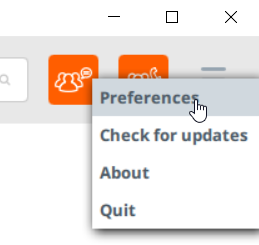
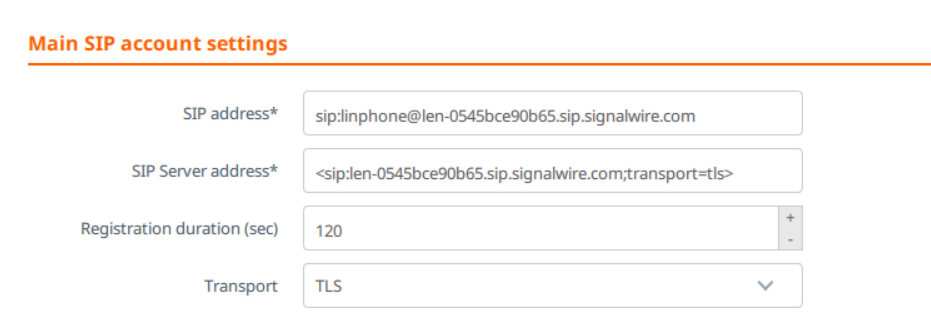
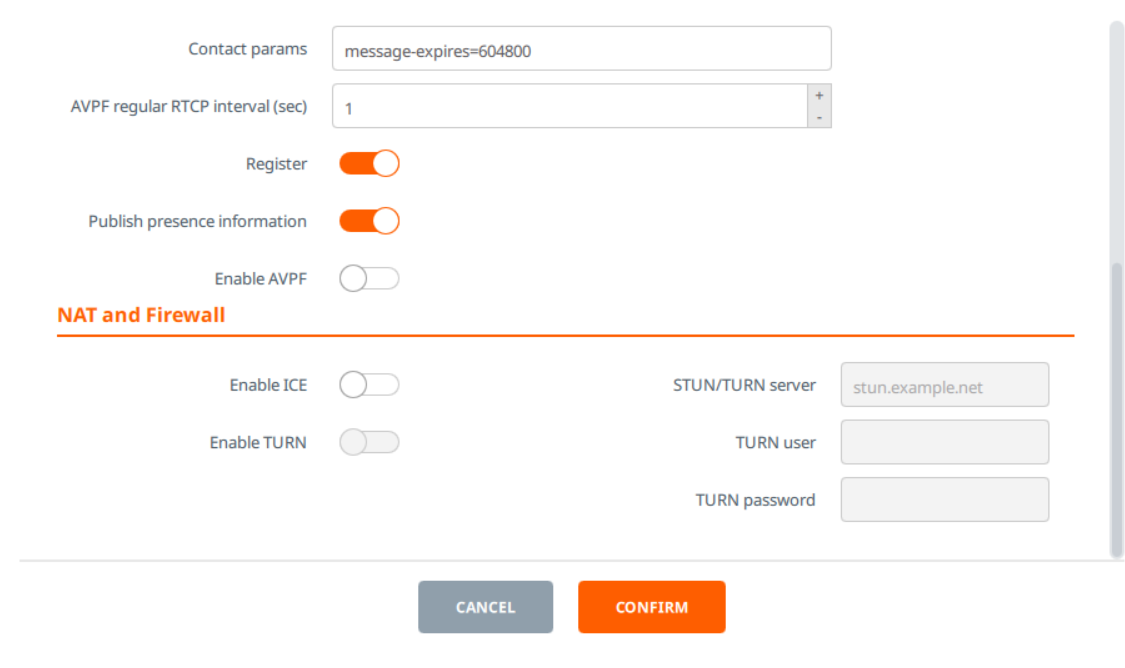
Next, we will need to go through the following settings pages in order to specify the correct information. Make sure to disable Enable AVPF and Enable ICE or it will not work correctly.
- SIP address: sip:linphone@user-0545bce90b65.sip.signalwire.com
- SIP Server address: <sip:user-0545bce90b65.sip.signalwire.com;transport=tls>
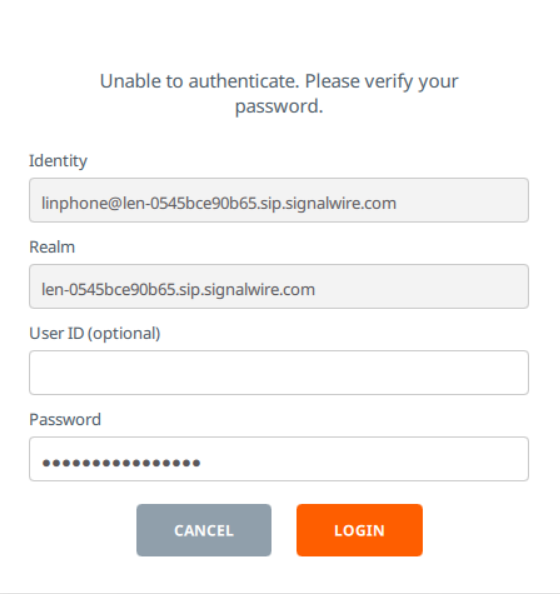
If you get the error Unable to Authenticate. Please verify your password., enter your SIP endpoint password and click Login.
Sign Up Here
If you would like to test this example out, create a SignalWire account and Space.
Please feel free to reach out to us on our Community Discord or create a Support ticket if you need guidance!